Building a prompt set that measures brand perception, not just mentions
How we design prompts to measure brand perception in AI answers: branded, comparison, objection, and category prompts, tagged so each one tells you something.
Picture a project-management tool we'll call Acme. Its marketing team tracks forty prompts like "best project management software for small teams" and "top task management apps 2026". Acme appears in most of the answers. Visibility looks healthy. Then a sales rep forwards a ChatGPT conversation where a prospect asked "is Acme worth it for a 20-person agency?" and got a paragraph about steep pricing and a limited mobile app.
Nothing in Acme's tracking would have caught that. Its prompt set was built to answer one question: does AI name us? Perception asks a different one: what does AI say about us when it does? A prompt set that measures perception needs different questions in it, and it needs to be organized so you can read each kind separately.
This is how we build those prompt sets for clients.
Why category prompts alone can't measure perception
Category prompts ("best X for Y") are the backbone of visibility tracking, and they belong in a perception set too. But they produce thin descriptions. An answer listing eight tools often gives each one a single line, and some get only a name.
Promptwatch's scoring makes this concrete. Sentiment is left unscored when a brand appears only as a bare name with no stance. Brand Narrative only keeps a claim if it's backed by a verbatim quote of at least four words about a tracked brand. A list entry that says "Acme" and nothing else gives you visibility and almost no perception data. You need prompts that make the engine talk about the brand at length.
The four prompt families we use
We split a perception set into four families. Each one produces a different kind of description.
Branded questions
These ask about the brand directly. They show the baseline description: what AI thinks the brand is, does, and is for.
- "What is Acme and who is it for?"
- "Does Acme have a mobile app?"
- "Is Acme good for agencies?"
- "Who owns Acme?"
Branded questions are where factual errors surface. If the engine gets the audience, the feature set, or the ownership wrong, it usually shows here first. They also feed the Company and Audience themes in Brand Narrative, which cover facts about the business and who it suits.
Comparison prompts
These put the brand next to a named competitor.
- "Acme vs Globex for a marketing agency"
- "Should I switch from Globex to Acme?"
- "Acme or Initech for remote teams?"
Comparison answers carry the framing that matters most in a buying decision: what you're better at, what you're worse at, and for whom. They also tend to read more critical. Promptwatch's Academy notes that comparison prompts usually score lower on sentiment than informational ones, because the answer weighs you against someone else. That's expected, and it's exactly why we keep them in their own segment rather than blending them into an average.
Objection prompts
These are the questions a skeptical buyer asks right before they decide, and the family most teams leave out because nobody wants to see the answers.
- "Is Acme worth the price?"
- "Acme complaints"
- "What are the downsides of Acme?"
- "Why do people stop using Acme?"
Objection prompts produce the negative claims that never appear in category answers. They're the fastest way to fill Brand Narrative's Negative tab with something you can act on. If an engine repeats "support is slow" across several models when asked about downsides, that's a claim worth tracing to its source.
Category prompts, kept honest
We still include category prompts, written the way a buyer would ask them, with a real constraint attached: team size, industry, budget, a must-have integration. "Best project management tool for a 15-person design agency that uses Slack" gets a longer, more specific answer than "best project management tool", and longer answers carry more description.
How we balance the families
There's no correct ratio, and we don't pretend there is. It depends on the client's situation. A brand with a known reputation issue gets more objection prompts. A brand in a crowded category gets more comparisons. A brand nobody has heard of gets more category prompts, because perception is a later problem for them.
Plan limits shape the set too. On Promptwatch brand plans, Essential covers 50 prompts, Professional 150, and Business 350. Agency plans have unlimited prompts, limited by response volume instead. With 50 prompts, we keep a tight branded and objection core and fewer category variations. With 150 or more, there's room to add personas and markets.
Tag everything so you can read each family alone
A perception set that you can only read as one blended number is close to useless. The tags are what let you ask "how do objection answers describe us this month?" separately from "how do category answers describe us?".
Promptwatch gives every prompt a type (Organic, Brand Specific, or Competitor Comparison) and an intent (Branded, Informational, Navigational, Commercial, Transactional). On top of that we add our own tags and topics. A typical scheme for us: one tag per family (branded, comparison, objection, category), and topics for the product areas the client cares about, so we can see whether negativity clusters around pricing, onboarding, or a particular feature.
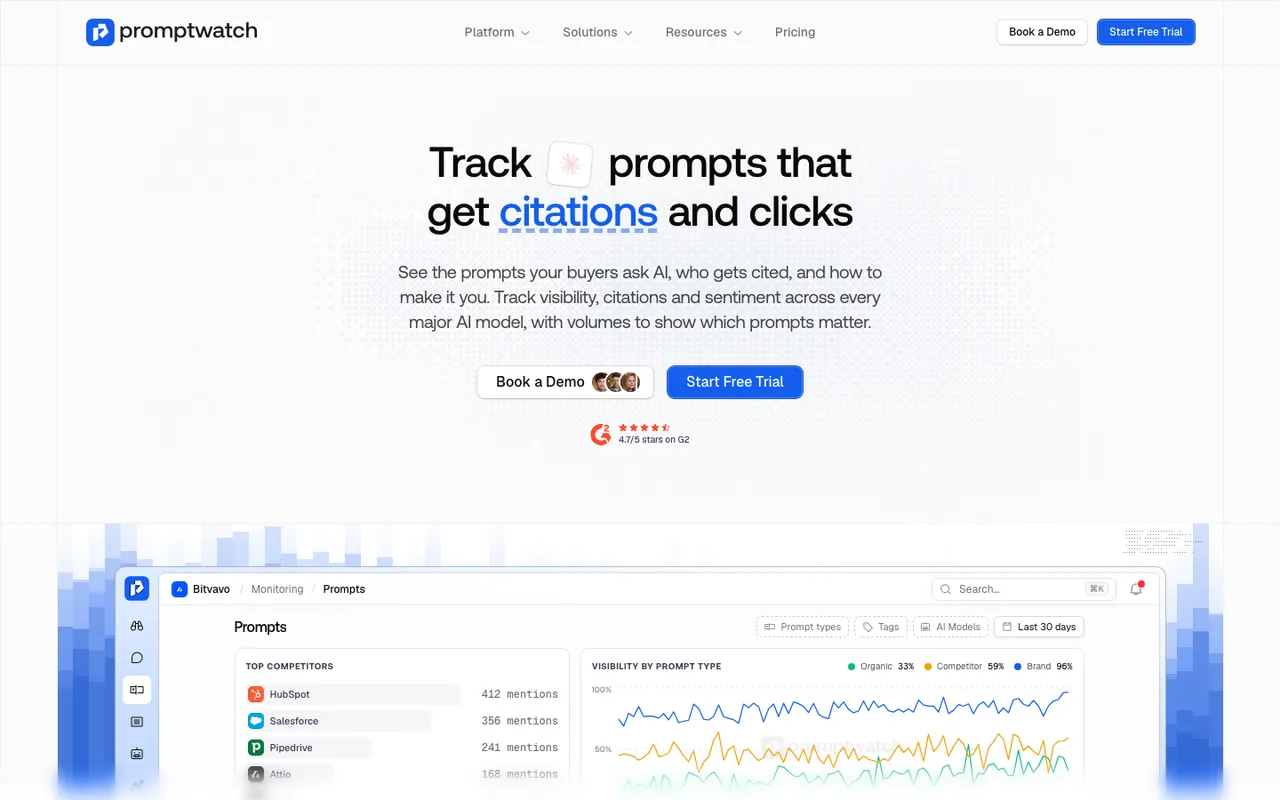 Promptwatch's prompt tracking page, captured November 8, 2026. The product view is Promptwatch's own illustration.
The filter bar on the Sentiment and Brand Narrative pages accepts prompt types, so once the tags are set, the separation costs nothing to maintain. The Sentiment page also breaks the current score down by prompt type in its summary card, which is often the first place we notice that comparisons and branded questions are telling two different stories.
Pick real questions, not invented ones
The weakest prompt sets we inherit were written in a meeting. Someone guessed what buyers might ask. The answers that come back are real, but the questions may not be ones anyone types.
We start from evidence instead. Promptwatch's Prompt Volumes shows monthly volumes, difficulty scores, and citation rates across AI search, Google, and Bing, which tells us which phrasings people actually use. Prompt Explorer suggests prompts from Search Console, ranking keywords, manual search, People Also Ask, or any page on the client's site. For objection prompts specifically, we also read the client's sales call notes and support tickets, because that's where the real objections live.
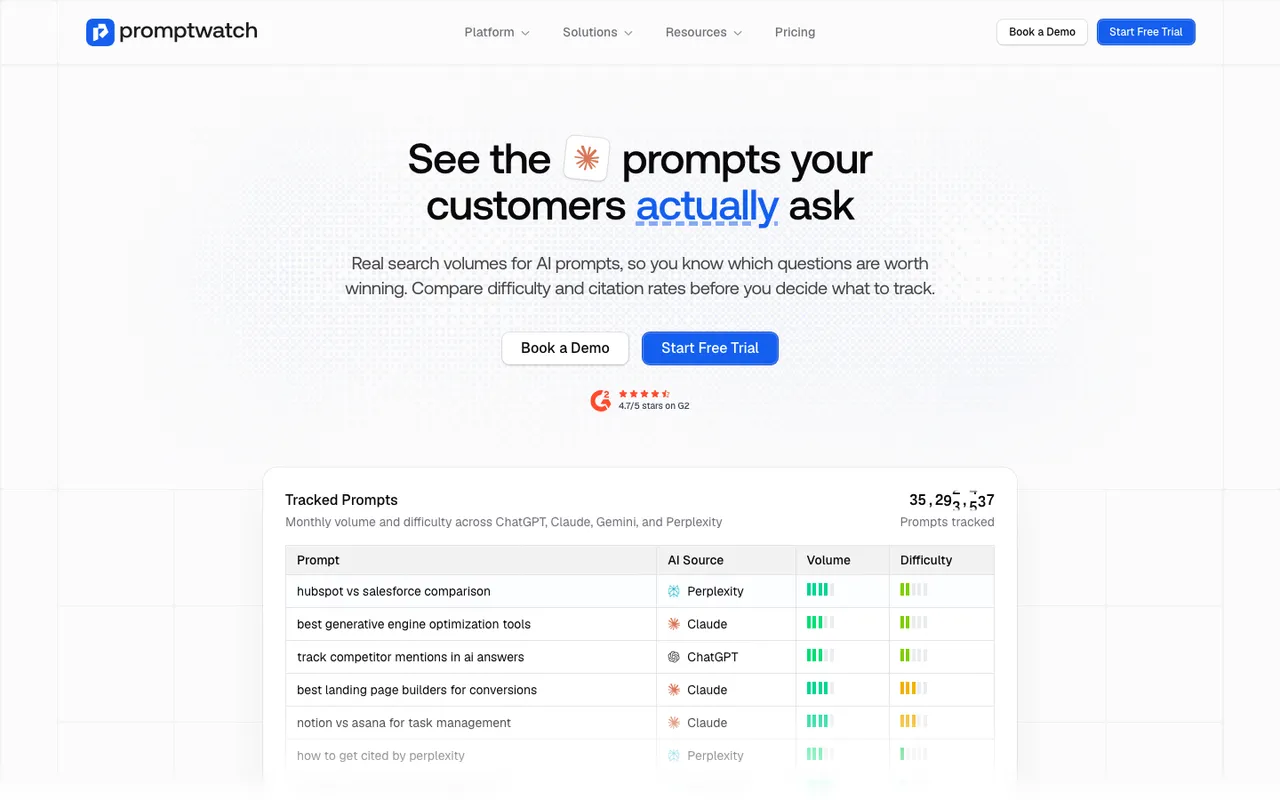 Promptwatch's Prompt Volumes page, captured November 8, 2026. The table is Promptwatch's own illustration.
Volume isn't the only criterion. A low-volume objection prompt can matter more than a high-volume category prompt if it's the question that kills deals. We use volumes to choose between phrasings of the same question, and judgment to decide which questions belong in the set at all.
Mistakes that skew the readings
A few patterns make a perception set report something other than what AI actually says to buyers.
Leading prompts are the most common. "Why is Acme the best tool for agencies?" presupposes the answer. The engine may go along with it, and you'll measure a flattering description nobody else would see. Ask it neutrally: "Is Acme a good tool for agencies?"
Stuffing the brand into category prompts is the second. "Best project management tools like Acme" isn't a category prompt any more. It's a branded one, and it inflates visibility.
Changing prompts mid-series is the third. Once a prompt is in the set and has history, rewording it breaks the comparison. Add a new prompt instead and tag it.
The last is ignoring language and market. A monitor's language and location are fixed once it's created in Promptwatch, so a client selling in Germany and the US needs a separate monitor per market, with prompts written natively in each language rather than translated word for word.
Personas, once the core works
When the core set is stable, personas add another dimension. The same question asked from the perspective of a finance lead and an end user can produce different descriptions of the same brand. Promptwatch's Persona Insights shows visibility, position, and sentiment per persona against the general audience. We add personas after the base set has a month of history, not before, so we know what the unpersonalized description looks like first.
Getting started
If you want to try this on your own brand, write ten prompts: three branded, three comparison, three objection, and one category prompt with a real constraint. Run them for a few weeks and read the descriptions, not the counts. You'll learn more about your brand's perception from those ten than from a hundred category prompts.
We build and run these sets on Promptwatch for client programs, because prompt types, tags, Prompt Volumes, Brand Narrative, and the Sentiment page all read from the same set. To see your own prompts in it, start the 7-day free trial on any self-serve plan.